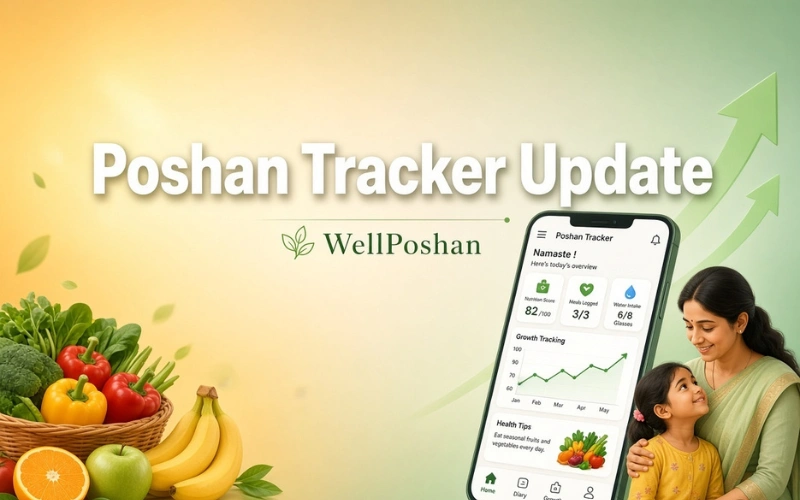
Poshan Tracker Update: Complete Guide to Download, Install & Fix Errors
If you are an Anganwadi Worker (AWW), supervisor, CDPO, or a beneficiary using the Poshan Tracker app under the POSHAN Abhiyaan (National Nutrition Mission), keeping your app updated is not optional — it is essential. Every Poshan Tracker Update brings bug fixes, security patches, and new features that keep your daily data entry, growth monitoring, and reporting work running smoothly.
This guide covers everything you need to know about the Poshan Tracker Update App — how to download it, how to update it on your phone, how to access it online, and how to fix the most common errors that appear right after an update.
What Is Poshan Tracker?
Poshan Tracker is the official mobile application developed by the National eGovernance Division, Government of India, under the Ministry of Women and Child Development. It gives a complete, real-time view of Anganwadi Centres (AWCs) across the country — covering service delivery by Anganwadi Workers, beneficiary registration, and growth monitoring for:
- Pregnant women
- Lactating mothers
- Children aged 0–6 years
- Adolescent girls
The app has over 10 million installs on the Google Play Store and is used daily by frontline health workers to replace paper-based nutrition records with real-time digital tracking.
Why the Poshan Tracker Update Matters
Anganwadi workers often ask why the app keeps asking them to update. Here’s why every Poshan Tracker Update New Version matters:
- Fixes login and OTP issues that block daily data entry
- Improves the face capture feature, which many users report fails with “unmatched” errors on outdated versions
- Patches date and time bugs that stop the app from syncing data correctly
- Adds new beneficiary and reporting modules as POSHAN Abhiyaan guidelines evolve
- Keeps your account secure, since older versions can lose compatibility with the backend server
Important: Running an outdated version is one of the most common reasons AWW accounts get stuck at “data saved locally but not synced.”
Poshan Tracker Update Version — What’s Currently Available
Poshan Tracker is updated frequently, sometimes more than once a month, so the exact Poshan Tracker Update Version number changes often. At the time of writing, the app is in its 25.x release series, with earlier major series including 21.x, 19.x, and 18.x.
If you’ve searched for a specific build number like Poshan Tracker Update 19.7, Poshan Tracker Update 18.7, Poshan Tracker Update 18.5 Download, or Poshan Tracker Update 14.2, these are all older releases from previous update cycles. There’s no benefit to hunting down these specific old versions — each new release supersedes the last, carries forward all approved features, and is the only version fully compatible with the current Poshan Tracker server. Always install whatever the Poshan Tracker Update Download Latest Version shows on the Play Store rather than an older numbered build.
To check which version you currently have:
- Open the Poshan Tracker app
- Tap the menu (☰) or go to Settings / About
- The current app version number is listed there
- Compare it with the version shown on the Play Store listing — if they don’t match, an update is pending
How to Download Poshan Tracker Update from the Play Store
The safest and officially recommended way to get every Poshan Tracker Update Play Store Download is directly through Google Play:
- Open the Google Play Store app on your Android phone
- Tap the search bar and type “Poshan Tracker”
- Select the official app — developer name National eGovernance Division, Government of India
- If you don’t have it yet, tap Install; if you already have it, tap Update
- Wait for the download to finish (the app is roughly 190–210 MB, so use Wi-Fi where possible)
- Open the app and log in with your existing credentials once the update completes
This is also the correct path if you’re specifically looking for Poshan Tracker Update Play Store access rather than a direct APK.
How to Update Poshan Tracker App (Step-by-Step)
If the app is already installed and you just need to update it, here is exactly how to update Poshan Tracker app:
- Open Google Play Store
- Tap your profile icon (top right) → Manage apps & device
- Under the “Updates available” list, find Poshan Tracker
- Tap Update next to it
- Once updated, force-close and reopen the app so the new version loads fully
- Log in again if prompted, and check that your pending records sync successfully
If you don’t see Poshan Tracker in the updates list but the app still feels outdated or buggy, uninstall and reinstall it from the Play Store — this resolves most stuck-update issues.
How Do I Update Poshan Tracker If Auto-Update Is Off?
Many field workers keep auto-updates off to save mobile data. In that case:
- Go to Play Store → your profile icon → Manage apps & device
- Turn on Wi-Fi
- Manually tap Update on Poshan Tracker whenever a new version is listed
- Alternatively, enable “Update over Wi-Fi only” in Play Store settings so it updates automatically without using mobile data
Poshan Tracker Update APK Download — Should You Use It?
Some users search for Poshan Tracker Update APK Download or Poshan Tracker Update Download APK Latest Version because they have limited or no access to the Play Store, or a weak internet connection that keeps interrupting the download.
If you must use an APK file, keep these precautions in mind:
- Only download from a source you trust, and verify the developer name matches National eGovernance Division, Government of India
- Never enter your Poshan Tracker login credentials into a modified or “mod” APK
- After installing an APK, check the app’s permissions — it should only request camera, location, and storage access, nothing unrelated
- Once you have a stable connection again, switch back to Play Store updates so future versions install automatically and safely
Safety note: Because Poshan Tracker handles sensitive beneficiary health and nutrition data, the Play Store remains the officially recommended and safest route for any Poshan Tracker Update Download.
Poshan Tracker Update Online — Using the Web Portal
Not everyone needs the mobile app for every task. Poshan Tracker also has a full Poshan Tracker Update Online access route through its official web portal at poshantracker.in:
Beneficiary Login — pregnant women, lactating mothers, and caregivers can log in with their registered mobile number and OTP to view growth records and service history
Department Login — Anganwadi Workers, supervisors, CDPOs, and DPOs log in with their registered email ID and password to access the dashboard, enter data, and generate reports
Admin Login — available at admin.poshantracker.in for state and department-level officials
This web access works as a genuine Poshan Tracker Update Online Free option — there’s no cost to log in or use the portal, and desktop access can be more convenient than the mobile app for bulk data review or generating reports. For actual daily field data entry (like growth measurements and face capture), the mobile app is still required, since those features aren’t available through the browser.
Poshan Tracker Update Karo — Quick Hindi Guide
कई Anganwadi Workers और beneficiaries “Poshan Tracker Update Karo” या “Poshan Tracker Update Karna Hai” सर्च करते हैं। अपडेट करने का तरीका बहुत आसान है:
- अपने फोन में Google Play Store खोलें
- ऊपर सर्च बार में “Poshan Tracker” टाइप करें
- अगर Update बटन दिख रहा है, तो उस पर टैप करें
- अपडेट पूरा होने के बाद ऐप को दोबारा खोलें और लॉगिन करें
- अगर Update बटन नहीं दिख रहा और सिर्फ Open लिखा है, तो इसका मतलब आपके फोन में पहले से latest version installed है।
Common Errors After a Poshan Tracker Update (And How to Fix Them)
| Error | Likely Cause | Fix |
|---|---|---|
| Face capture shows “unmatched” | Poor lighting, camera angle, or outdated version | Update to the latest version, retry in good daylight, hold the phone steady at eye level |
| App asks to reset date & time repeatedly | Automatic date/time setting conflicting with app check | Manually set correct date/time in phone settings, then reopen the app |
| Data “saved locally” but not syncing | Weak internet connection or pending app update | Connect to stable Wi-Fi, update the app, then tap Sync Now |
| App crashes right after opening | Corrupted update installation | Uninstall and reinstall from Play Store |
| Login fails after update | Session expired during the update | Force-close the app, clear cache, and log in again |
Frequently Asked Questions
How do I update Poshan Tracker?
Open Google Play Store, search “Poshan Tracker,” and tap Update if the app is already installed, or Install if it’s new. That’s the complete, official process.
How to update Poshan Tracker without losing my data?
Your data is stored on the Poshan Tracker server, not just on your phone, so updating through the Play Store never deletes your submitted records. Just make sure any pending unsynced entries are synced before you update.
Is the Poshan Tracker update free?
Yes. Every Poshan Tracker Update Download is completely free on the Google Play Store, and the web portal is also free to use.
Why does Poshan Tracker keep asking me to update so often?
The app is updated frequently to fix bugs like face-capture failures and to keep pace with new POSHAN Abhiyaan reporting requirements. Skipping updates for too long can eventually block login until you update.
Can I use an older version like 18.5 or 19.7 instead of updating?
No. Older builds like Poshan Tracker Update 18.5, 18.7, or 19.7 are no longer supported by the current server and will likely fail to sync data. Always install the latest version.
Where can I use Poshan Tracker Update Online instead of the app?
Visit poshantracker.in for beneficiary and department login, or admin.poshantracker.in for state/department officials. Field data entry like face capture still requires the mobile app.
Final Thoughts
Whether you’re searching for the Poshan Tracker Update App, trying to figure out how to update Poshan Tracker, or comparing the Poshan Tracker Update Play Store method against an APK download, the safest and most reliable route is always the official Google Play Store listing from the National eGovernance Division. Keep auto-updates enabled where possible, check your version number regularly under Settings, and you’ll avoid most of the sync and login errors Anganwadi workers commonly report after an update.