Poshan Tracker Admin: The 2026 Guide to Login, Dashboards and Data Control
Poshan Tracker Admin is the department-level access point where authorised officers log in with credentials issued by their state or district office to monitor Anganwadi services, beneficiaries and nutrition data across India.
If you’ve ever searched for a “public sign-up” link for Poshan Tracker Admin, here is the plot twist: there isn’t one. Admin access is handed down, not signed up for. This guide covers who gets it, how to log in, what to do after you’re in, and how to keep the data clean so your reports survive a review meeting.
What Is Poshan Tracker Admin?
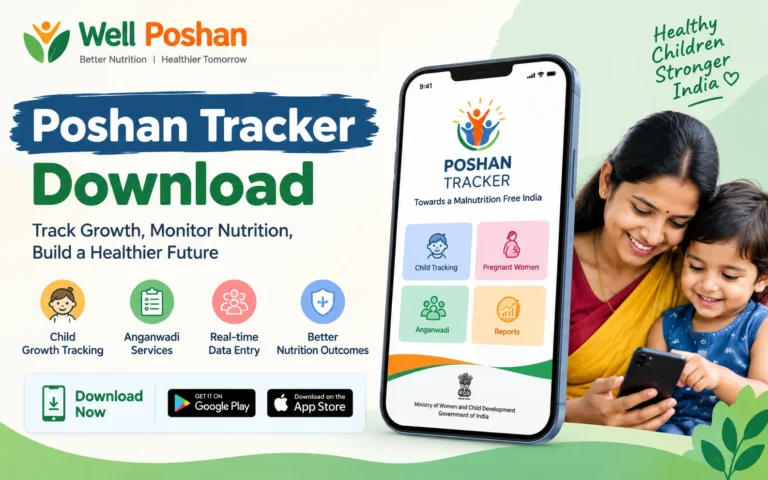
Poshan Tracker Admin is the department or backend login of the Poshan Tracker system. It is separate from the mobile app that Anganwadi Workers use for daily entries.
The Poshan Tracker was rolled out by the Ministry of Women and Child Development on 1 March 2021 through the National e-Governance Division. Think of the app as the ground floor and the admin panel as the control room upstairs.
Key terms in plain English
The official platform describes a chain in which AWWs provide services, and Supervisors, CDPOs and DPOs monitor progress through daily and monthly reports. That chain is exactly what the admin side exists to serve.
Poshan Tracker Admin by the Numbers (2026)
Why does this portal matter so much? Scale.
PIB reported in April 2025 that every Anganwadi Centre was registered on the app as of 28 February 2025. By June 2026, roughly 98 percent of beneficiaries had completed Aadhaar e-KYC and facial verification for Take-Home Ration, a year after digital checks became mandatory.
Benchmark takeaway: with that much data flowing in, even a 1% error rate would touch lakhs of records. That is why admin discipline matters more than admin speed.
Poshan Tracker Admin Login: Step-by-Step
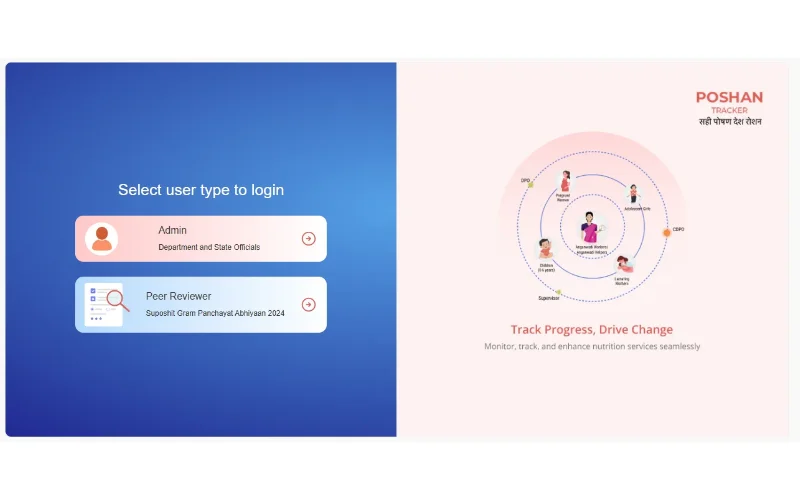
Third-party guides describe reaching the admin panel through the official website or a dedicated admin link. The department login uses an email ID, a password, and a captcha, followed by a click on Login.
Here is the clean workflow:
- Start from the official site. Open poshantracker.in and look for the Department Login option, rather than clicking a link from a random blog or a forwarded message.
- Enter your registered email ID. It must be the one your department registered for you.
- Type your password carefully. Passwords are case-sensitive.
- Solve the captcha. Refresh it if it’s unreadable, instead of guessing.
- Click Login. The dashboard should load, showing the reports and data your role permits.
Some guides list the admin subdomain as admin.poshantracker.in. Cross-check it against the official site before you enter any credentials. Lookalike domains are the fastest way to lose an official login.
Poshan Tracker Admin Login Id and Password: who actually gets them?
The Poshan Tracker Admin Login Id and Password are issued by the department. Logins are role-based and department-issued, not open to public sign-up.
That means:
- No website can legitimately “generate” a working admin ID for you.
- Anyone selling or sharing a “free admin ID and password” is either scamming you or handing you something that will get flagged.
- If you’re a newly posted officer, request credentials through your district programme office or state nodal officer.
Poshan Tracker Admin Login Password: rules worth following
Your Poshan Tracker Admin Login Password protects data on pregnant women, infants and adolescent girls. Treat it that way.
- Use 12 or more characters, mixing letters, numbers and symbols.
- Never reuse your email or bank password.
- Don’t save it on a shared office computer’s browser.
- Change it right after any staff handover.
- Never share it over WhatsApp or SMS, even with a colleague “just for today.”
Why this works: most credential leaks in government workflows don’t come from hackers. They come from convenience, like a password on a sticky note or a shared login used by three people. Individual accounts create an audit trail. Shared accounts erase it.
Poshan Tracker Admin in Action: What You See After Login
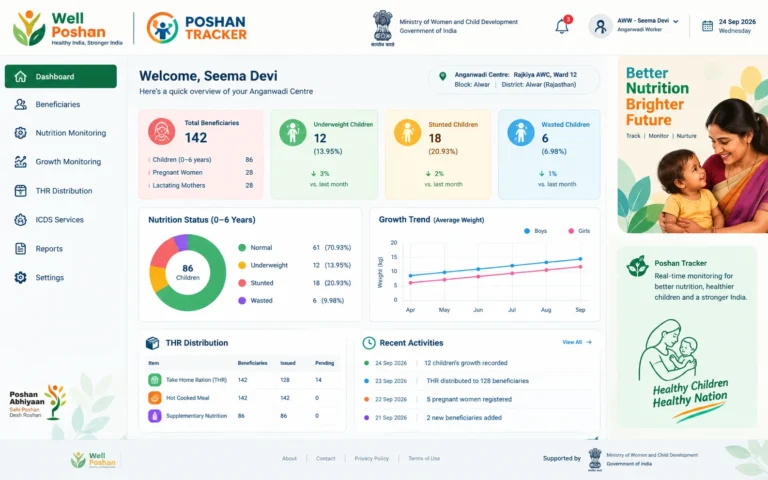
Once Poshan Tracker Admin access loads, the value is in the dashboards. Depending on your role, expect to review:
- Anganwadi Centre status and opening data
- Beneficiary counts by category (children, pregnant women, lactating mothers, adolescent girls)
- Growth monitoring and nutrition indicators
- Take-Home Ration and hot cooked meal delivery
- Daily and monthly reports for your block or district
Facial Recognition System verification was introduced so that benefits reach only the intended registered beneficiary. The Ministry has also said face matching can work offline in areas with little or no internet, and that a Nominee Module lets a beneficiary authorise someone else to collect THR. If you review THR numbers, those two features explain a lot of what you’ll see in exceptions.
The 5-A Admin Framework (A Model You Can Copy)
Most guides stop at “how to log in.” Logging in is the easy 5%. Here is the framework I recommend for what comes next:
Why it works: dashboards reward looking. Frameworks reward acting. The 5-A loop turns a login into a decision.
A Weekly Workflow for Admin Users
Copy this as-is:
- Monday: Log in, review last week’s daily reports, list the bottom 10 centres by data entry.
- Tuesday: Call or message the relevant Supervisors about those 10.
- Wednesday: Spot-check 3 to 5 centres against physical registers.
- Thursday: Review THR and verification exceptions.
- Friday: Export the summary, note fixes made, and log out properly.
Twenty minutes a day beats a three-hour panic before the monthly review.
Mini Case Study: The Block With the “Perfect” Numbers
This is an illustrative composite scenario, not a report on a named district.
A block officer notices one Anganwadi Centre shows near-100% attendance every single day for a month. It looks great on the dashboard, but real attendance is never that clean.
Using the 5-A loop, the officer:
- Confirms the report is pulled from the correct account.
- Compares three days of entries with the physical register.
- Finds the entries were being bulk-filled at month-end rather than daily.
- Assigns the Supervisor to retrain the worker on same-day entry.
- Saves the before-and-after report.
Lesson: suspiciously perfect data is usually a process problem, not a success story.
Before / After: Admin Habits
Common Mistakes That Cost Admins Time
- Trusting lookalike websites. Always start from the official portal.
- Sharing one login across a team. You lose accountability the first time something goes wrong.
- Chasing “free admin ID and password” posts. They don’t work and can compromise your device.
- Reviewing only totals. Averages hide the ten centres that are quietly failing.
- Skipping the archive step. If it isn’t saved, it didn’t happen.
- Ignoring offline and nominee cases. They explain many verification exceptions that look like fraud.
Quick Troubleshooting Table
Traffic tends to spike during Poshan Maah and Poshan Pakhwada. The 9th Rashtriya Poshan Maah was launched on 9 September 2026 in Varanasi under the theme “Hamari Anganwadi, Hamari Jimmedari.” Expect slower response times around campaign reporting deadlines.
My Take: Where Admin Access Goes Wrong
The recurring pattern is that people treat Poshan Tracker Admin as a reporting tool when it’s really a management tool. A report tells you what happened. An admin who acts on it changes what happens next.
The most useful habit is checking the smallest, quietest centres first. The big ones get attention automatically.
Conclusion
Poshan Tracker Admin access is a responsibility more than a login. Get the credentials through official channels, guard your password, and run the 5-A loop every week. With nearly nine crore beneficiaries on the system, small habits at the admin level ripple out to real children and mothers.
Key Takeaways
- Poshan Tracker Admin credentials are department-issued, never public.
- Always begin login from the official poshantracker.in site.
- Use individual accounts and strong passwords, never shared ones.
- Apply the 5-A framework: Access, Accuracy, Anomalies, Action, Archive.
- Suspiciously perfect data deserves a physical spot-check.
- Expect heavier portal load during Poshan Maah and Poshan Pakhwada.
Short Summary
Poshan Tracker Admin is the control layer of India’s nutrition monitoring system, covering about 14 lakh Anganwadi Centres and roughly 8.95 crore beneficiaries as of March 2026. Login needs an officially issued email ID, password and captcha. Beyond login, a weekly workflow and the 5-A framework help admins turn dashboards into decisions.
FAQs
1. How do I do a Poshan Tracker Admin login?
Open the official poshantracker.in site, choose the Department Login option, enter your registered email ID, password and captcha, then click Login.
2. Can I create my own Poshan Tracker Admin Login Id and Password?
No. Credentials are issued by your department through the district or state programme office, so request them through your reporting officer.
3. What should I do if I forget my Poshan Tracker Admin Login Password?
Try the reset option if your portal shows one. Otherwise contact your district programme office or nodal officer to have it reset.
4. Is the Poshan Tracker Admin the same as the Poshan Tracker app?
No. The app is the daily job-aid for Anganwadi Workers, while Poshan Tracker Admin is the department-side dashboard for monitoring and reporting.
5. Are websites offering Poshan Tracker Admin ID and password safe?
No. Genuine credentials come only from your department. Treat any site offering shared IDs as unsafe and don’t enter your own details there.