Poshan Tracker Download 2026: Latest Version, Safe Steps for Android, iPhone & PC
Poshan Tracker download is free and official on Android through the Google Play Store, while iPhone and laptop users can use the web portal instead. Always verify the publisher before installing the app and avoid random APK files.
If you searched for “Poshan Tracker download karna hai” or “Poshan Tracker download karen”, you’re in the right place. This guide explains the official download route for Android, what iPhone and PC users should do, how to identify the latest version, and why random APK websites can create unnecessary problems.
Poshan Tracker is not an ordinary public mobile app. It is a government nutrition-service platform used mainly by Anganwadi Workers, supervisors and authorised programme officials. So downloading the app is only one part of getting access—the correct login credentials and authorised access also matter.
Poshan Tracker Download at a Glance
| Your Device | Official Route | Works? |
|---|---|---|
| Android phone | Google Play Store | ✅ Yes |
| iPhone / iPad | Use the web portal | ⚠️ Limited |
| Laptop / PC | Web portal | ✅ Yes, with valid login |
| Random APK site | Third-party mirror | ❌ Risky |
What Is Poshan Tracker, and Who Needs It?
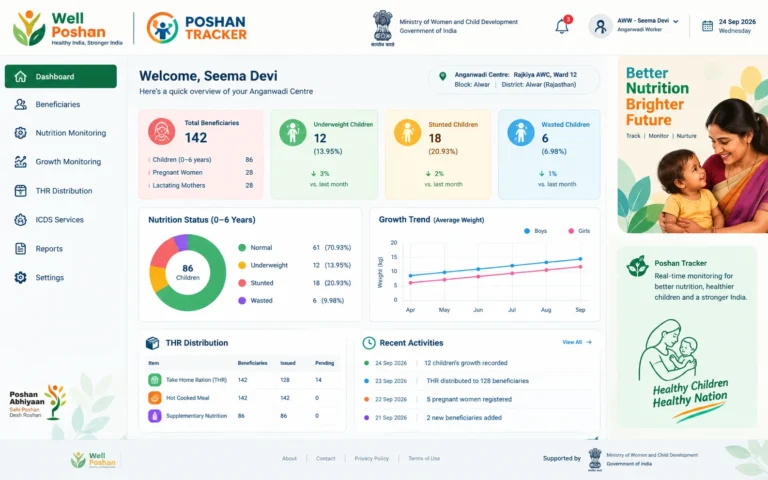
Poshan Tracker is the Ministry of Women and Child Development’s app for tracking nutrition services under Mission Saksham Anganwadi and Poshan 2.0. It launched on 1 March 2021, according to Digital India Corporation.
The platform is primarily designed for frontline workers and authorised officials involved in Anganwadi and nutrition-service delivery. Parents and ordinary users should not assume that simply downloading the application gives them access to the system.
Important Terms You Will See
- AWC (Anganwadi Centre): The village-level centre delivering nutrition and early-childhood services.
- AWW (Anganwadi Worker): The frontline worker who enters the data.
- THR (Take Home Ration): Supplementary nutrition given to eligible beneficiaries.
- FRS (Face Recognition System): The face-matching step used to verify the intended beneficiary during applicable processes.
- e-KYC: Aadhaar-based identity verification.
- Stunting, wasting, underweight: Nutrition and growth indicators measured against established growth standards.
Who actually needs the app?
Most people searching for the download are not the primary target users. Poshan Tracker is mainly used by Anganwadi Workers, supervisors and programme officers. Access depends on authorised credentials and registration, not simply installing the application.
The Numbers Behind Poshan Tracker
| Indicator | Reported Figure | Reference Period |
|---|---|---|
| Registered beneficiaries | 8.93 crore | May 2026 |
| States and UTs covered | 28 States + 8 Union Territories | May 2026 |
| Children with growth monitoring | 6.3 crore | May 2026 |
| Eligible THR beneficiaries with e-KYC and face matching | 97.01% of 4.77 crore | February 2026 |
| Google Play rating | 3.9 stars / about 1.65 lakh reviews | September 2026 |
The app has a large operational footprint, but download and installation are only the first steps. Login access, device compatibility, server connectivity and version compatibility can all affect the experience.
How to Download Poshan Tracker App on Android
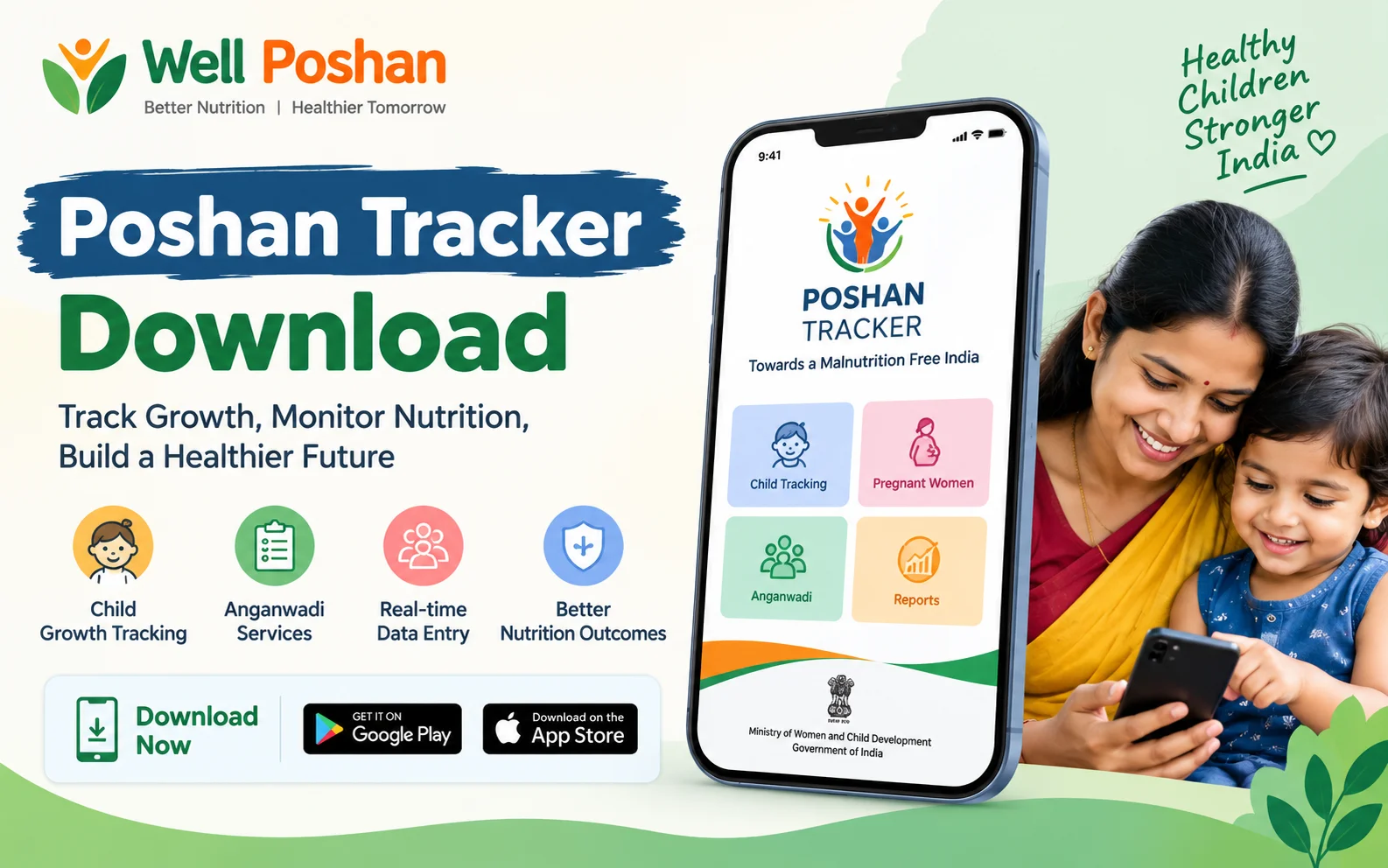
For an Android phone, the safest Poshan Tracker download route is the Google Play Store.
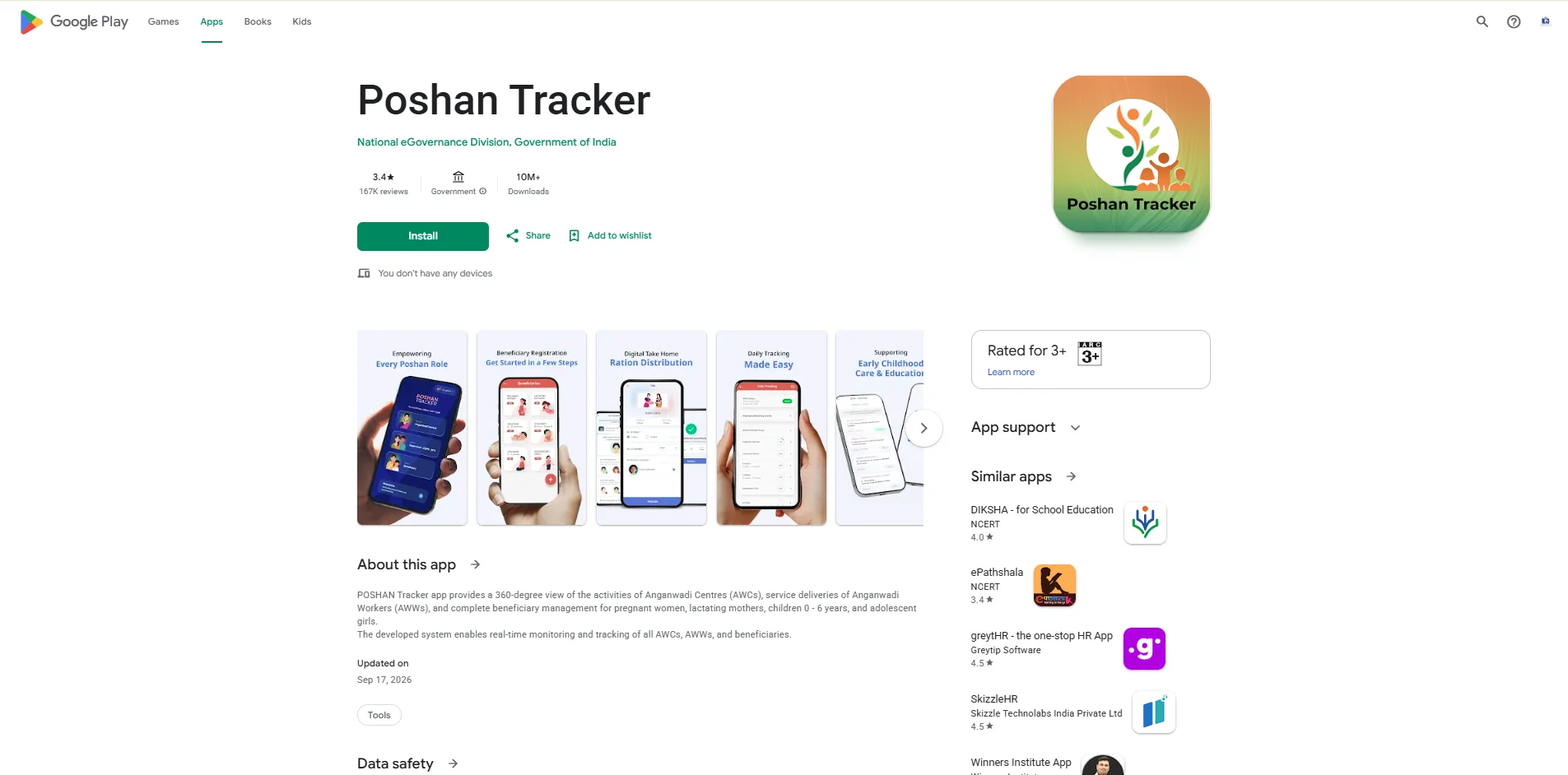
- Open the Google Play Store on your Android phone.
- Search for “Poshan Tracker”.
- Check that the publisher is National eGovernance Division, Government of India.
- Tap Install.
- Allow the application to complete the installation.
- Open the app after installation.
- Log in using the credentials issued by your authorised department or office.
Important download check
Do not install an application simply because its name contains “Poshan Tracker”. Before installing, verify the publisher and make sure you are using the official Google Play listing.
The commonly referenced package ID is com.poshantracker. If a website gives you a download link with a different package or asks you to install a modified version, stop and verify the source first.
Android Requirement
The supplied version information indicates Android 7.0 or higher. Older devices may technically install the application but can experience performance, compatibility or storage-related problems.
Poshan Tracker Download Latest Version in 2026
Version information can change as the government application is updated. Major APK mirrors listed 25.3.7 as a build from late May 2026, while the Google Play listing was updated on 17 September 2026.
| Version | What It Means |
|---|---|
| 25.3.7 | Latest build listed by major mirrors in May 2026. |
| 25.1.x – 25.2.x | Earlier 2026 builds. |
| 24.1, 23.7, 21.8 | Older builds from before the 25.x series. |
Do not rely only on APK websites for version information. The Play Store listing is the safer place to check whether an update is available for your device. An older build can stop working correctly when the backend system changes.
Recent user reports have also mentioned problems with FRS photo capture after newer releases. If a feature stops working after an update, use the official support route or the in-app support mechanism rather than downloading an older APK from an unknown website.
Poshan Tracker Download for iPhone and iOS
If you searched for Poshan Tracker download for iOS or Poshan Tracker download for iPhone, the important point is that the supplied research found no official Poshan Tracker application on the Apple App Store.
Some similarly named applications may appear in App Store searches, but a similar name does not mean that the app is the government’s Poshan Tracker.
What Can iPhone Users Do?
- Open the official Poshan Tracker web portal using Safari.
- Use the login credentials provided by your department or authorised office.
- If your work specifically requires the Android application, ask your department whether an authorised Android device is available.
- Avoid installing lookalike applications simply because their names contain “Poshan”.
Remember: An iPhone App Store result is not automatically the official Poshan Tracker. Always verify the developer and government association before entering any work or beneficiary information.
Poshan Tracker Download for PC or Laptop
There is no official Windows or Mac installer described in the supplied information. Therefore, Poshan Tracker download for PC generally means accessing the web portal through a browser.
- Open Chrome, Edge or another compatible browser.
- Open poshantracker.in.
- Select the appropriate login option.
- Enter your authorised credentials.
- Complete OTP or captcha verification if requested.
- Access the dashboard and available reports or beneficiary information.
Android emulators may technically allow some Android applications to run on a PC, but this does not mean they are officially supported. Device-bound access and FRS camera requirements can also create problems.
Poshan Tracker Download APK: Should You Install One?
If you are searching for Poshan Tracker download APK, you will find multiple third-party websites offering old and new APK files. The safer route is still the official Google Play Store listing.
An APK downloaded from a third-party mirror is not the same as installing directly from the official store. There is also no guarantee that an APK will solve a login problem because access depends on your authorised credentials and system registration.
Avoid These APK Files
- “Poshan Tracker Pro”
- “Poshan Tracker Mod”
- “Poshan Tracker Unlimited”
- Unknown APKs shared through messaging groups
- Files that ask for unnecessary permissions
Why the APK trap matters
Poshan Tracker can handle sensitive beneficiary and Aadhaar-related information. Installing an unknown or modified application introduces unnecessary security and privacy risks.
The S.A.F.E. Install Framework
Before completing any Poshan Tracker download, use this simple four-point check.
| Letter | Check | Pass Condition |
|---|---|---|
| S — Source | Where is the application coming from? | Google Play and verified government publisher. |
| A — Android | Is the device compatible? | Android 7.0+ and updated system components. |
| F — Free Space | Does the phone have enough storage? | Keep around 500 MB free for installation and updates. |
| E — Enrolled | Do you have authorised access? | Credentials from your department or registered access. |
Simple rule: If any part of the S.A.F.E. check fails, stop before installing another file. Many “download problems” are actually source, storage, compatibility or login problems.
Before and After: A Typical Download Rescue
Illustrative scenario: This is a composite example, not a real individual.
Before: A worker gets a new phone and downloads a “Poshan Tracker 24.1” APK from a search result. It installs after several attempts but then rejects the login, consumes storage and repeatedly asks for an update.
After: The worker removes the unofficial version, frees storage and installs the Play Store version. The worker then confirms the device change with the supervisor and signs in using the existing authorised credentials.
The lesson is simple: the installation itself was not necessarily the main problem. The source of the app and the login approval were the important parts.
Fixing Common Issues After Poshan Tracker Download
| Problem | Likely Cause | What to Try |
|---|---|---|
| App won’t open | Low storage or outdated build | Free storage and update through Google Play. |
| Constant update prompts | Old version or backend compatibility change | Install the latest official update. |
| Login fails | Unregistered number or device-bound ID | Confirm your access with your supervisor or department. |
| FRS photo crashes | New-build issue or low RAM | Close other apps, retry and raise a support ticket if necessary. |
| Date/time error | Incorrect phone clock | Enable automatic date and time. |
Common Mistakes to Avoid
- Trusting a random website’s “latest version” claim instead of checking the official store.
- Installing an old build such as 21.8, 23.7 or 24.1 because its download link appears first.
- Expecting a public sign-up option when your access requires department-issued credentials.
- Downloading a lookalike iOS application and assuming it is the government application.
- Installing the app on a phone with almost no free storage.
- Changing phones without informing the relevant supervisor or department.
- Using modified, “Pro” or “Unlimited” APK files.
Poshan Tracker Download: Key Takeaways
- The official Android download route is Google Play.
- Verify the publisher before installing the application.
- The supplied research found no official iOS Poshan Tracker application.
- PC and laptop users can use the web portal rather than looking for a Windows installer.
- 25.3.7 was listed by major mirrors in May 2026, while the Play Store listing was updated in September 2026.
- Older builds such as 21.8, 23.7 and 24.1 should not be treated as the latest version.
- Downloading the application does not automatically create login access.
- Avoid unofficial APKs and modified versions.
Conclusion: Your Poshan Tracker Download in One Line
Keep it simple: use Google Play for the Android Poshan Tracker download, verify the publisher, keep the application updated and use the web portal if you are working from an iPhone or laptop. Avoid random APK websites because the official application and authorised login are what you actually need.
Final reminder
The safest download is the boring one: official store, verified publisher, current version and authorised credentials.
Frequently Asked Questions
1. Is Poshan Tracker Download free?
Yes. The Poshan Tracker app is available free through Google Play for Android. Anyone asking you to pay for the official app download should be treated with caution.
2. Can I download Poshan Tracker on iPhone?
The supplied research found no official Poshan Tracker application on the Apple App Store. iPhone users can use the web portal instead, where access is supported.
3. How do I download Poshan Tracker on PC or laptop?
There is no official Windows or Mac installer described in the supplied information. Open the Poshan Tracker web portal through a browser instead.
4. What is the Poshan Tracker Download latest version in 2026?
Major mirrors listed version 25.3.7 in May 2026, while the Google Play listing was updated on 17 September 2026. Because the version can change, check the official Play Store listing for the current build available to your device.
5. Is Poshan Tracker Download APK safe?
The official Google Play route is safer than downloading an APK from an unknown mirror. Modified, old or tampered APK files can create security, compatibility and login problems.
6. Can anyone create a Poshan Tracker account after downloading the app?
No. Installing the application does not automatically provide access. Anganwadi Workers and other authorised users generally require credentials or access issued through the relevant department.
Final Words
Poshan Tracker is an important digital platform used for nutrition-service delivery and Anganwadi monitoring under Mission Saksham Anganwadi and Poshan 2.0. With millions of beneficiaries and frontline workers using the system, keeping the application updated and using the correct access route matters.
For Android, use the official Google Play Store listing and verify the publisher. For iPhone and laptop users, use the web portal where supported. Most importantly, avoid unofficial APKs, modified applications and websites promising a “special” or “latest” version.
Note: App versions, login procedures, supported devices, portal features and government reporting requirements may change. Always verify the current version and access instructions through the official Poshan Tracker/Ministry channels before installing or entering beneficiary information.