Poshan Abhiyaan Entry: Your Complete 2026 Guide to Login & Data Entry
Quick answer: “Poshan Abhiyaan Entry” refers to the online data-entry system — website and app — used by Anganwadi workers and government officials to log nutrition activities under India’s POSHAN Abhiyaan (National Nutrition Mission). It’s not a person or a product with an “age” or “net worth” — it’s a government tool, so this guide covers what Poshan Abhiyaan Entry does, who uses it, and exactly how to log in and enter data.
At a Glance
| Detail | Information |
|---|---|
| Full name | POSHAN Abhiyaan (National Nutrition Mission) |
| Launched | March 2018 |
| Runs under | Ministry of Women & Child Development, Government of India |
| Who enters data | Anganwadi Workers (AWWs), Lady Supervisors, block/district/state officials |
| Main tools | poshanabhiyaan.gov.in (Jan Andolan Dashboard) + Poshan Tracker app |
| Who benefits | Pregnant women, lactating mothers, children (0–6 yrs), adolescent girls |
| Data entry levels | National, State, District, Block, Village/AWC |
Figures like the exact number of Anganwadi workers or beneficiaries change over time as government reports are updated — treat any specific count you see online as approximate and check the official PIB or Ministry of WCD site for the latest verified numbers.
So What Actually Is “Poshan Abhiyaan Entry”?
Think of it this way: POSHAN Abhiyaan is the umbrella nutrition mission. Poshan Abhiyaan Entry is just the everyday shorthand people use for the data entry part of it — the online form where field workers punch in what activities happened on the ground: a home visit, an anaemia camp, a Poshan Rally, a growth-monitoring session, and so on.
Before this went digital, Anganwadi workers tracked everything in paper registers. Now most of it happens through a phone or computer, which means supervisors can see what’s happening in near real-time instead of waiting for a monthly paper report to trickle in.
There are two main doors into the system:
- The website dashboard at poshanabhiyaan.gov.in, used mainly for Jan Andolan (community mobilisation) activity reporting.
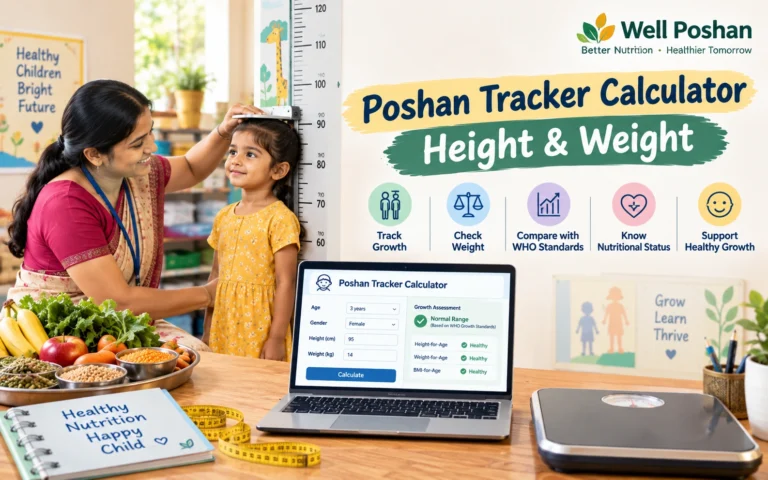
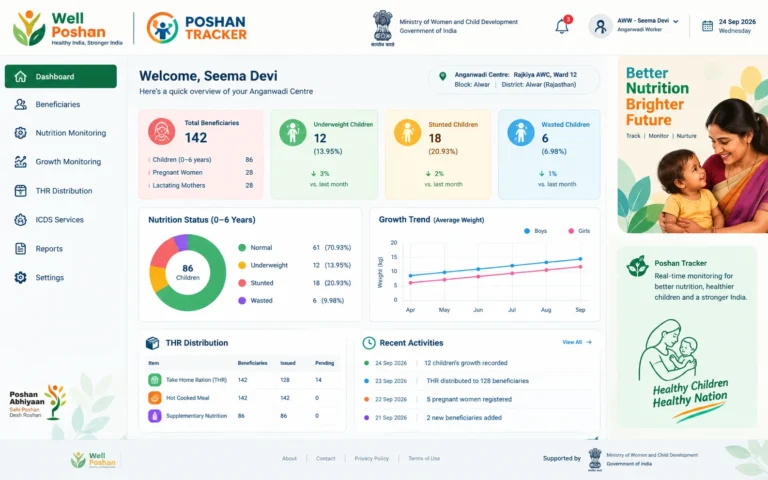
- The Poshan Tracker app, a mobile app Anganwadi workers use for day-to-day beneficiary tracking — child weights, immunisation status, supplement distribution, and more.
So, when someone searches for Poshan Abhiyaan Entry, they are generally looking for information about logging into this government data-entry ecosystem and submitting the required nutrition-related information.
Who Actually Uses the Poshan Abhiyaan Entry System?
The Poshan Abhiyaan Entry system is primarily designed for authorised workers and government officials rather than ordinary citizens.
| User type | What they do with it |
|---|---|
| Anganwadi Worker (AWW) | Logs home visits, beneficiary details, growth data, day-to-day activities |
| Lady Supervisor (LS) | Reviews and enters data for multiple centres |
| Block/District officials | Monitor and consolidate data for their area |
| State/National officials | View aggregated dashboards for policy tracking |
| General public/beneficiaries | Don’t log in — they interact with Anganwadi Centres directly, not the entry portal |
If you’re a beneficiary (a mother or family) rather than a government worker, you generally won’t need a Poshan Abhiyaan Entry login at all — your nearest Anganwadi Centre handles the data entry on your behalf.
How to Log In and Enter Poshan Abhiyaan Entry Data — Step by Step
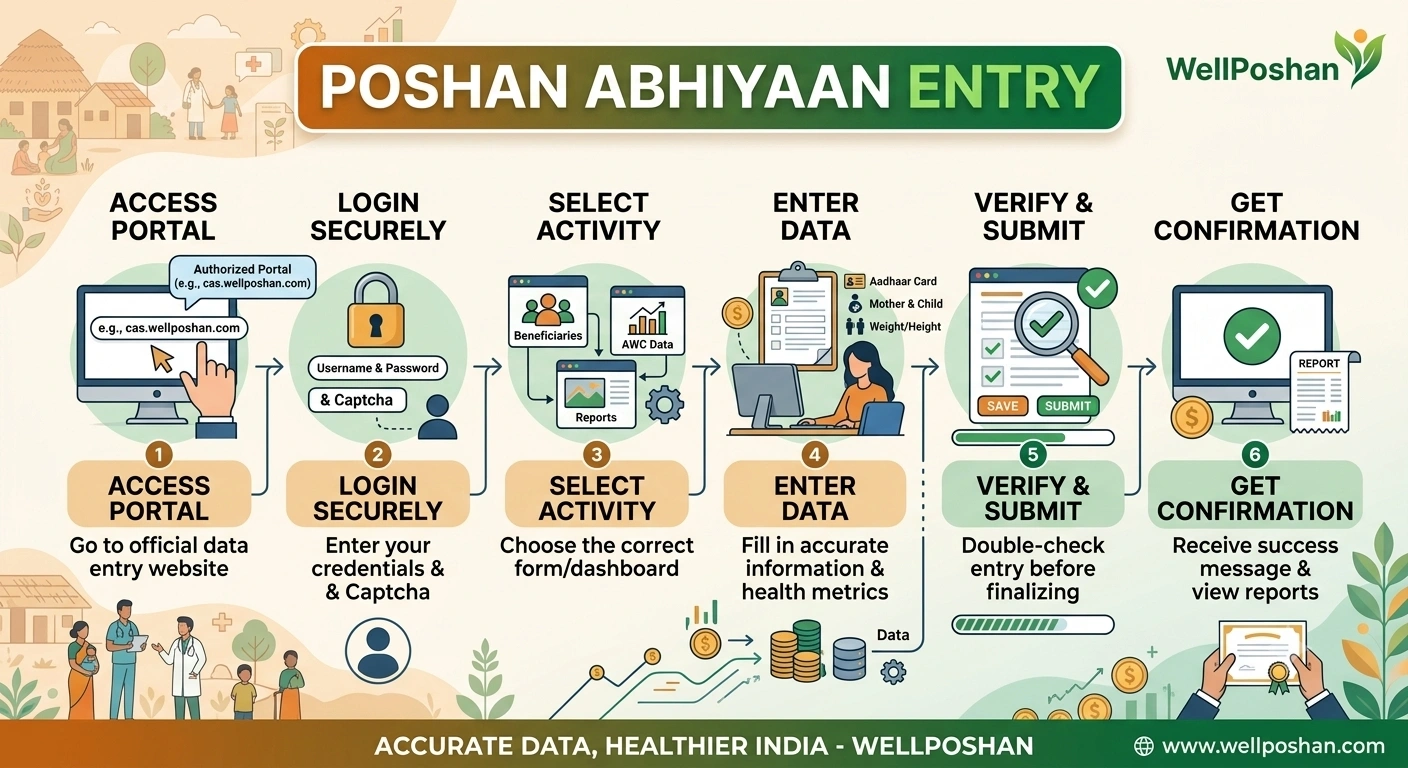
If you have authorised credentials, the basic Poshan Abhiyaan Entry process generally follows these steps:
- Go to the official site. Open poshanabhiyaan.gov.in in your browser. On mobile, switching to “Desktop site” in your browser menu can make the form easier to use.
- Click “Data Entry” in the top-right corner of the dashboard page.
- Enter your credentials. You’ll need the username and password issued to you by the Ministry/state authority, plus a simple captcha.
- Pick your level. Choose which level you’re reporting for — National, State, District, Block, or Village/AWC.
- Fill in activity details. Select the activity, such as Home Visit, Poshan Mela, or Anemia Camp, along with the relevant theme, date, and organiser type.
- Add participation numbers. Break down participants by adult/child and male/female where required. The totals need to match.
- Upload supporting details such as a photo or description where required and submit the entry.
For anyone completing Poshan Abhiyaan Entry for the first time, the most important thing is to use only the credentials provided through the authorised government channel.
A Few Practical Limits Worth Knowing
- Each Anganwadi Centre is generally capped at around 10 reported activities per day.
- Sessions auto-log-out after about 10 minutes of inactivity.
- The system typically has a nightly maintenance window (commonly around midnight to early morning) when entry may be unavailable.
- Backdated entries are usually allowed only for a limited window (a few days to a couple of weeks, longer during special campaigns like Poshan Maah).
These operational details can change, so if something doesn’t match what you see on screen during Poshan Abhiyaan Entry, check the current help/FAQ section on the official portal rather than assuming the guide is out of date.
Website Dashboard vs. Poshan Tracker App
Understanding the difference between the website and app makes Poshan Abhiyaan Entry much easier to navigate.
| Feature | Website (poshanabhiyaan.gov.in) | Poshan Tracker App |
|---|---|---|
| Best for | Jan Andolan / community activity reporting | Day-to-day beneficiary & centre management |
| Device | Desktop or mobile browser | Android/iOS app |
| Typical users | Officials at block/district/state level | Anganwadi Workers in the field |
| Real-time field updates | Limited | Yes — designed for on-the-go entry |
| Login credentials | Assigned by ministry/state | Assigned to individual AWW/AWC |
The website is generally associated with dashboard-based Poshan Abhiyaan Entry, while the Poshan Tracker app focuses more heavily on day-to-day beneficiary and Anganwadi Centre activities.
Common Problems People Face During Poshan Abhiyaan Entry
Several issues can prevent an authorised user from completing Poshan Abhiyaan Entry successfully.
- Forgotten password — most portals have a “reset password” or “forgot password” link on the login page; if that fails, your block/district coordinator can usually reissue credentials.
- App won’t open or keeps buffering — this has been a recurring complaint with some versions of the Poshan Tracker app; updating to the latest version or clearing the app cache often helps.
- Session timed out mid-entry — save your work in shorter batches rather than filling a long form in one sitting, since idle sessions can log out automatically.
- Can’t find your Anganwadi Centre in the dropdown — double-check that you’ve selected the correct state, district, and block first; the AWC list is filtered by those choices.
If the issue continues, avoid repeatedly submitting the same Poshan Abhiyaan Entry. First check whether the previous submission was recorded successfully.
Poshan Abhiyaan Entry: Who Needs a Login?
Not everyone needs access to the Poshan Abhiyaan Entry system.
The entry system is intended for authorised government personnel, including Anganwadi Workers, supervisors and officials working at different administrative levels.
A regular citizen generally does not create a public account simply to enter nutrition activity data. Instead, citizens participate in activities organised through Anganwadi Centres, schools, health facilities, panchayats and other local institutions.
This distinction is important because searches for Poshan Abhiyaan Entry Login can sometimes make the system appear like a public registration portal. It isn’t designed that way.
What Information Is Usually Required?
During a Poshan Abhiyaan Entry, the authorised user may need to provide information such as:
- Activity type
- Campaign or theme
- Reporting level
- Date of activity
- Number of participants
- Participant categories
- Activity description
- Supporting photograph, where required
- Anganwadi Centre or location details
The exact fields can change depending on the campaign and the version of the reporting system being used.
Why Poshan Abhiyaan Entry Matters
The purpose of Poshan Abhiyaan Entry goes beyond simply filling an online form.
When activities are recorded digitally, officials can get a clearer picture of what is happening across different locations. A nutrition workshop in one village, a growth-monitoring session in another and an awareness rally somewhere else can all become part of a larger national picture.
That makes Poshan Abhiyaan Entry an important part of monitoring the implementation of nutrition-related activities.
For Anganwadi workers, accurate data entry is therefore more than an administrative task. It helps maintain records that can be reviewed at supervisory, district, state and national levels.
FAQs
1. What is Poshan Abhiyaan Entry?
Poshan Abhiyaan Entry refers to the online data-entry process used by authorised Anganwadi workers and government officials to record nutrition-related activities and information under POSHAN Abhiyaan.
2. Is Poshan Abhiyaan Entry a mobile app?
Not exactly. Poshan Abhiyaan Entry refers to the data-entry process, which can involve the official website dashboard as well as the Poshan Tracker app, depending on the type of information being recorded.
3. Can a regular citizen enter data on the Poshan Abhiyaan portal?
No. Poshan Abhiyaan Entry access is generally restricted to authorised government workers and officials with assigned login credentials.
4. How do I complete Poshan Abhiyaan Entry?
Go to the official portal, select the relevant data-entry option, sign in using your assigned credentials, select the reporting level and activity, enter the required details, add supporting information where required, and submit.
5. What if I don’t have a Poshan Abhiyaan Entry login?
Credentials are issued through the relevant Ministry of Women & Child Development/state/district authority rather than being freely created by members of the public. New Anganwadi workers should contact their supervisor or appropriate district authority.
6. Why does the Poshan Abhiyaan Entry system log me out?
Idle sessions may automatically expire as a security measure. If you are entering a large amount of information, it is safer to save and submit information in shorter batches where the system allows it.
7. Is Poshan Abhiyaan Entry the same as Poshan Tracker?
No. The terms are related but refer to different parts of the digital system. The website dashboard is primarily associated with Jan Andolan activity reporting, while Poshan Tracker is designed for day-to-day Anganwadi and beneficiary management.
8. Can I check Poshan Abhiyaan Entry status as a beneficiary?
The system is primarily intended for authorised users. Beneficiaries should generally contact their local Anganwadi Centre or relevant official if they need information about records or services connected with them.
Key Takeaways
- Poshan Abhiyaan Entry is the data-entry component of India’s POSHAN Abhiyaan digital ecosystem.
- Anganwadi workers and authorised officials use the system to record nutrition activities and beneficiary-related information.
- The website dashboard and Poshan Tracker app serve different but connected purposes.
- A regular citizen generally doesn’t need a Poshan Abhiyaan Entry login.
- Login credentials are issued through authorised government channels.
- Activity limits, session timeouts and backdating rules can change as the system is updated.
- Always verify the latest instructions on the official portal before submitting important information.
Bottom line: If you’re searching for Poshan Abhiyaan Entry, you’re essentially looking for the government’s digital process for recording POSHAN-related activities and information. The key is to use the correct portal or app for your role and rely on officially issued login credentials rather than trying to create a public account.
Thank you for reading!
Checkout Well Poshan for more such information.