Jan Andolan Portal: Complete 2026 Guide to Login, Data Entry, App & Password Reset
Jan Andolan Portal is the digital dashboard associated with POSHAN Abhiyaan’s Jan Andolan, used to record and showcase nutrition-awareness, community mobilisation and related campaign activities conducted across India.
What Is the Jan Andolan Portal?
The Jan Andolan Portal—sometimes written as Poshan Abhiyaan Jan Andolan Portal or Jan Andolan Portal Poshan Abhiyan—is the online dashboard associated with India’s POSHAN Abhiyaan, the National Nutrition Mission. It is used to record and showcase community nutrition activities, awareness programmes and mobilisation events.
“Jan Andolan” translates to People’s Movement. It is the community-mobilisation arm of POSHAN Abhiyaan, built around the idea that fighting malnutrition works better as a shared public effort than as a government-only programme.
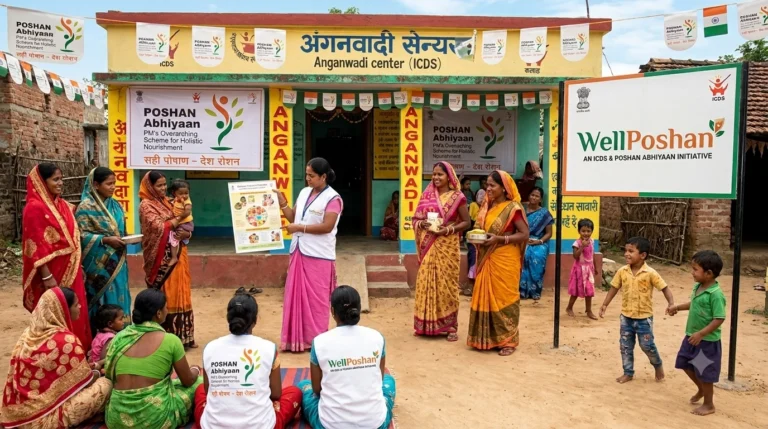
Events such as Poshan Melas, Poshan Rallies, Poshan Walks, workshops and seminars may be organised at village, block, district and state levels. These activities can be recorded on the dashboard so that participation and campaign performance can be monitored nationally.
Important distinction:
The Jan Andolan Portal is used for community-event reporting, while Poshan Tracker is used for Anganwadi-level beneficiary and service-delivery data.
Jan Andolan Portal vs Poshan Tracker
The Jan Andolan Portal and the Poshan Tracker app are not the same system, even though both are connected with POSHAN Abhiyaan and may require department-issued login credentials.
| Point | Jan Andolan Portal | Poshan Tracker |
|---|---|---|
| Purpose | Records community events such as melas, rallies, walks and seminars. | Tracks beneficiary data and Anganwadi service delivery. |
| Typical users | Field staff, nodal officers and campaign-reporting officials. | Anganwadi Workers, supervisors and other authorised officials. |
| Data type | Event date, theme, location, participants, photos and descriptions. | Growth monitoring, immunisation, nutrition services and beneficiary records. |
| Peak usage | Poshan Maah and Poshan Pakhwada. | Ongoing, daily Anganwadi service delivery. |
If you were asked to upload Poshan Pakhwada photographs or enter today’s event details, you need the Jan Andolan reporting system. If you were asked to update a child’s growth chart or service record, you need Poshan Tracker.
Jan Andolan Portal Login: Step-by-Step
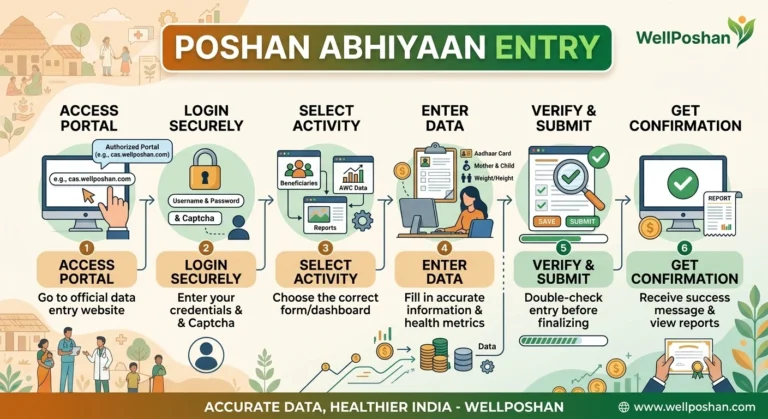
- Open the official POSHAN Abhiyaan website: poshanabhiyaan.gov.in.
- If you are using a mobile phone, switch the browser to Desktop site if the data-entry option is not visible.
- Select the Data Entry or Login option.
- Enter your assigned username.
- Enter your Jan Andolan Portal password.
- Fill in the captcha shown on the screen.
- Click Sign In.
Login detail to remember
Login credentials are generally department-issued. If your username is case-sensitive, check the exact spelling, capitalisation and spacing provided by your office before assuming that the password is incorrect.
Jan Andolan Portal Login Password: What If You Forgot It?
Department-issued accounts usually do not work like consumer apps that offer a personal-email or OTP-based password reset. If you forget your Jan Andolan Portal password, follow these steps:
- Contact your immediate reporting officer or Block/District Women & Child Development office.
- Ask the authorised office to confirm or regenerate your credentials.
- Keep the user ID exactly as issued, including capital and small letters.
- If you are a first-time user, request access through your state, district or block nodal office.
Jan Andolan Portal Data Entry: How to Submit an Activity
After logging in, the Jan Andolan Portal Data Entry process generally follows this structure:
- Select the activity: Choose Poshan Mela, Poshan Rally, Poshan Walk, Workshop/Seminar or the relevant activity type.
- Select the theme: Choose the nutrition themes covered by the event.
- Choose the level: Select village, block, district or state level as applicable.
- Enter the date range: Add the from-date and to-date of the activity.
- Enter participant numbers: Add adult and child participation details wherever the form asks for them.
- Upload a photograph: Add a supporting event photograph and a short description.
- Submit the entry: Review all details before submitting the activity.
Common Themes Used in Jan Andolan Entries
Diet
Anaemia
Antenatal Checkup
Breastfeeding
Complementary Feeding
Hygiene & Sanitation
Immunisation
Growth Monitoring
Nutrition Awareness
Review the activity type, participant numbers, theme and photograph before submission. If an entry needs correction later, editing access may depend on the user’s role and reporting authority.
Jan Andolan Portal Data Entry App and App Download
Some field users may access Jan Andolan reporting through a mobile application or mobile browser. The exact availability of an app can change, so users should verify the publisher and download source before installing anything.
How to Check the Jan Andolan App on Android
- Open the Google Play Store.
- Search for the official Jan Andolan or POSHAN Abhiyaan application.
- Check the publisher and official government association before installing.
- Avoid unofficial APK files shared through unknown websites or messaging groups.
- Install the verified application and use the credentials issued by your department.
During Poshan Maah or Poshan Pakhwada, connectivity and server traffic may affect field reporting. Where the application provides a draft or save option, use it before final submission.
Jan Andolan Portal, Poshan Pakhwada and Poshan Maah
The Jan Andolan reporting system is especially relevant during two major nutrition-awareness campaigns:
| Campaign | Usual period | Main purpose |
|---|---|---|
| Poshan Pakhwada | Usually March or the officially announced campaign period. | Intensive nutrition awareness and community mobilisation. |
| Poshan Maah | September. | Nationwide nutrition-awareness and behaviour-change activities. |
During campaign months, the number of activities and reporting requirements may increase. Users should confirm the current theme list, dates and reporting instructions through their department or the official POSHAN Abhiyaan website.
Jan Andolan Portal 2025 West Bengal: State-Level Note
West Bengal participates in national Jan Andolan reporting through its state, district and block-level administrative structure. The national portal does not require a separate public login page exclusively for West Bengal.
- Login credentials are generally mapped to the relevant department, state, district, block or role.
- Credentials are normally issued through the state, district or block Women & Child Development/ICDS office.
- New users should contact their reporting office instead of searching for an unofficial “West Bengal login” page.
- Activities submitted under West Bengal locations contribute to the wider national reporting system.
Jan Andolan Portal 2025 vs Jan Andolan Portal 2026
The underlying purpose of the Jan Andolan dashboard generally remains the same from year to year. Annual changes may include:
- Updated campaign themes and nutrition priorities.
- Newly announced dates for Poshan Maah and Poshan Pakhwada.
- Minor changes to buttons, menus or page design.
- Revised state-wise targets or reporting formats.
- Changes in instructions issued by the Ministry or state departments.
If an old tutorial video does not match the current screen, check the official POSHAN Abhiyaan website and your department’s latest instructions instead of relying only on screenshots from previous years.
Frequently Asked Questions
1. Is the Jan Andolan Portal the same as Poshan Tracker?
No. The Jan Andolan Portal is used for community-event reporting, while Poshan Tracker records beneficiary and Anganwadi service data.
2. Where can I get my Jan Andolan Portal login ID and password?
Contact your Block or District Women & Child Development/ICDS office. Credentials are generally department-issued rather than self-registered.
3. Can I complete Jan Andolan Portal Data Entry from a phone?
Yes, where mobile access is supported. You may use a compatible mobile browser or an officially verified application provided for authorised users.
4. Why does my Jan Andolan Portal login keep failing?
Check the exact username, password, capitalisation, captcha and portal address. Also confirm that you are using the Jan Andolan system rather than Poshan Tracker.
5. Is there a separate Jan Andolan Portal for West Bengal?
The reporting structure is national, with access and credentials mapped to the relevant state, district, block or department role.
Final Words
The Jan Andolan Portal is designed to document the community-mobilisation side of POSHAN Abhiyaan. It focuses on activities such as Poshan Melas, rallies, walks, workshops, seminars and other nutrition-awareness programmes.
The most important point is to use the correct platform: Jan Andolan reporting is for community activities, while Poshan Tracker is for individual beneficiary and Anganwadi service records. For login issues, password problems or annual campaign updates, always confirm the latest instructions through your authorised department and the official POSHAN Abhiyaan website.
Note: Portal menus, login procedures, app availability and reporting requirements may change. Verify current instructions through the official POSHAN Abhiyaan website or your department’s authorised office.