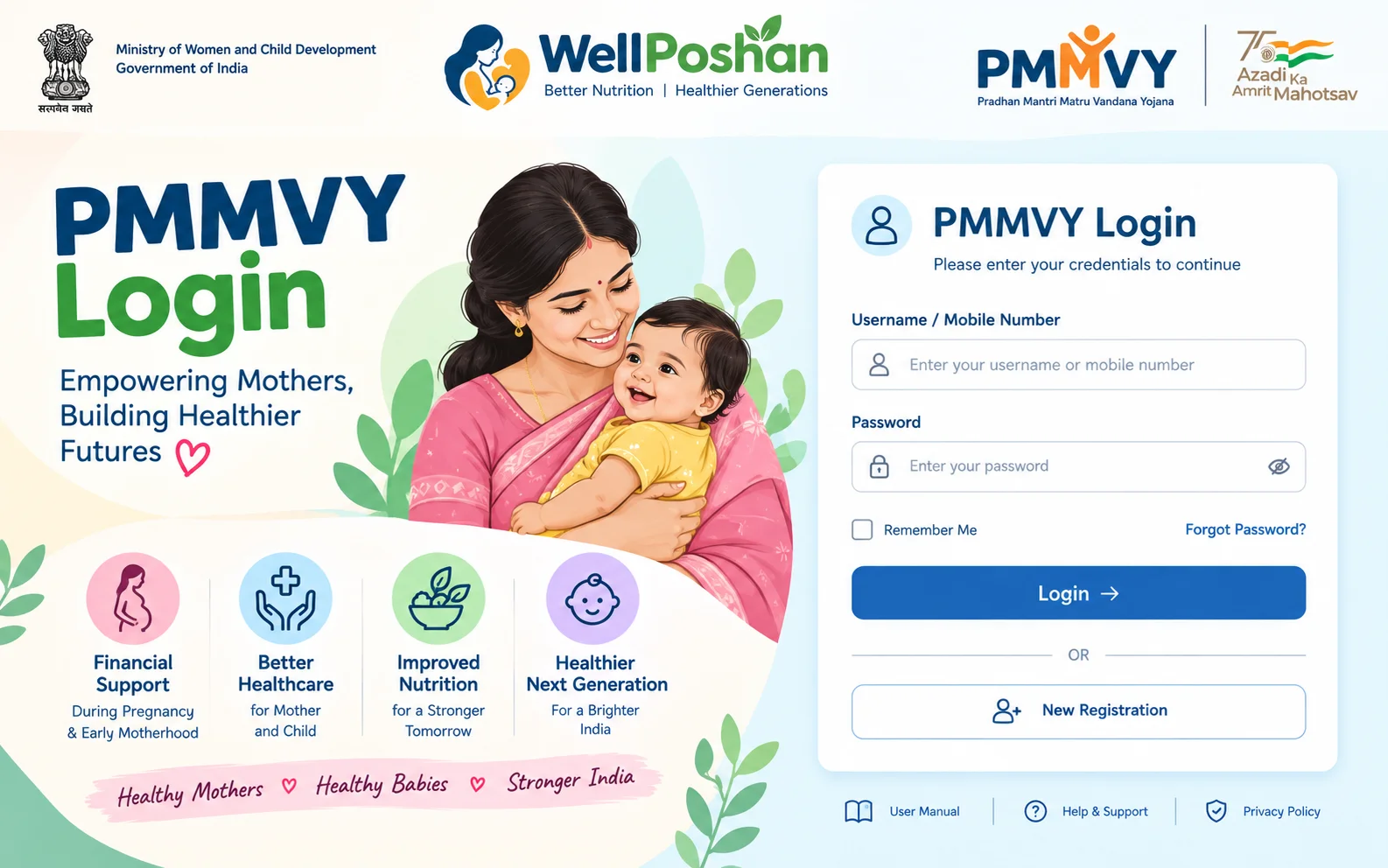
PMMVY Login: How to Register, Sign In and Fix Login Problems (2026)
PMMVY login is the sign-in step on the official Pradhan Mantri Matru Vandana Yojana portal, pmmvy.wcd.gov.in. Pregnant and lactating women use it to create an account and apply for the maternity benefit. Anganwadi workers, ASHA workers and government officials use separate credentials to enter data and monitor payments.
This guide covers the login for both groups and explains why most failed PMMVY Login happen. It also gives a symptom-by-symptom fix table and the facts you need to know before you apply: the amounts, the face-verification step and the current helpline.
Quick answer: how to log in to PMMVY
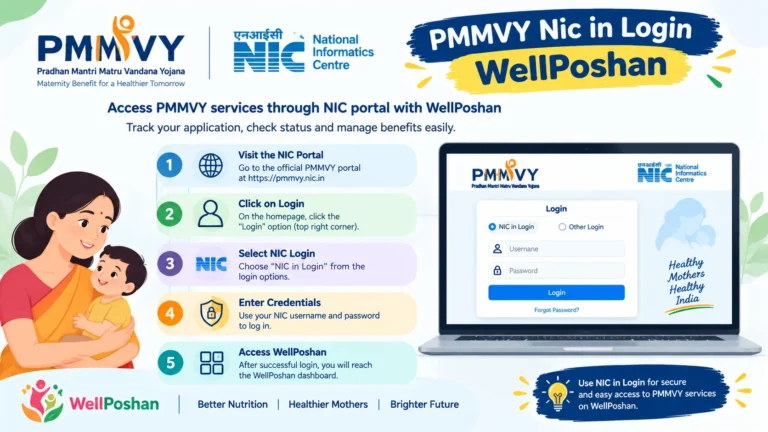
- Open pmmvy.wcd.gov.in (type the address yourself; do not use a link from an ad or a forwarded message).
- Click Citizen Login and enter your mobile number.
- Verify the OTP sent to that number.
- Click Create Account (first time only).
- Go back to the home page, click Login, then enter your User ID, Password and Captcha.
- After login, open the Data Entry tab and choose Beneficiary Registration.
These steps follow the citizen flow described on the government’s myScheme page for PMMVY. The portal’s screens can change, so treat the labels as a guide rather than an exact script.
Important: Login only gets you into the system. Your money depends on a complete registration, which needs an Aadhaar-linked bank or post office account and, for new enrolments, face verification. Both are covered below.
Which PMMVY login do you actually need?
Many searches for “PMMVY login” end in confusion because one portal serves several kinds of users. Find yourself in this table first.
| You are | What you use | Who creates the credentials | Notes |
|---|---|---|---|
| Pregnant woman or new mother applying for the benefit | Citizen Login (mobile number + OTP, then User ID and Password) | You, by creating an account | Optional. An Anganwadi or ASHA worker can also register you |
| Anganwadi worker / ASHA (field functionary) | Field login on the portal or the PMMVYSoft mobile app | Your department | Used to register beneficiaries and file instalment claims |
| Block, district or state official | Government/official login | Your department hierarchy (the scheme has state nodal officers) | Cannot be self-registered |
| Someone searching “PMMVY login admin” | Same official login as above | Assigned, not public | There is no public admin sign-up. Ask your supervisor or district office for access |
The PIB review of the Ministry’s work confirms that PMMVY is run through a portal and a field-worker mobile app that lets workers, starting from the Anganwadi level, enrol beneficiaries. The Ministry also lists the UMANG platform as another way for women to enrol.
What “PMMVY 2.0” means for login: PMMVY 2.0 is the version of the scheme in force since 1 April 2022 under Mission Shakti. It is not a separate portal or a different login. You use the same site and the same steps.
Before you do PMMVY Login: a 5-minute checklist
Most registration failures come from missing documents or mismatched details. Gather these first.
- Mobile number you can receive an OTP on (ideally the one linked to your Aadhaar).
- Aadhaar number of the beneficiary. Her husband’s Aadhaar is not mandatory under the scheme, according to myScheme.
- Aadhaar-linked bank or post office account details. Payments go by Direct Benefit Transfer (DBT) to this account only.
- MCP card or pregnancy registration details (Mother and Child Protection card, issued when the pregnancy is registered).
- For later instalments: the child’s birth registration and immunisation record.
Why the Aadhaar-linked account matters: DBT payments are sent through the Aadhaar-based system and checked by NPCI. A bank account that exists but is not linked to Aadhaar is a common reason for a failed or delayed payment. If you are unsure, ask your bank branch whether the account is seeded for DBT before you apply.
Step-by-step: PMMVY login registration (new account)
1. Create your citizen account
- Go to pmmvy.wcd.gov.in and click Citizen Login.
- Enter your mobile number and verify it with the OTP.
- Click Create Account.
- Write down your User ID and Password as soon as they are shown or sent to you.
2. Sign in
- On the home page, click Login.
- Enter your User ID, Password and the Captcha.
- Click Login.
What is the User ID for PMMVY login? It is the ID created when you set up the account. Do not assume it is your mobile number or Aadhaar number. A secondary guide on PMMVY Login problems lists mixing these up as a frequent cause of “invalid credentials” errors. If you cannot find it, check the SMS or the screen from account creation, or call the helpline (see below).
3. Fill in the beneficiary registration
- Open Data Entry, then Beneficiary Registration.
- Enter personal details, pregnancy details, and your Aadhaar and bank details.
- Complete face authentication if the portal or the Anganwadi worker prompts you.
- Submit and keep the registration or application reference.
Face verification is now mandatory for new enrolments. According to the Ministry’s year-end review (PIB, January 2026), facial-recognition verification became compulsory for all new PMMVY enrolments from 21 May 2025. The Ministry says this helps stop impersonation and duplicate claims. In practice, this step is easiest at an Anganwadi centre, where the worker has the app and a smartphone.
PMMVY login for Anganwadi workers, ASHA and officials
Field workers do most PMMVY data entry in practice, so many “PMMVY login” searches come from them.
- Credentials are issued by your department. You do not create them on the public Citizen Login page.
- The PMMVYSoft app is the official mobile tool for field functionaries. Download it only from the official portal or a link given by your department. A fake app can steal Aadhaar and bank details.
- Reset passwords through your supervisor chain first. For technical faults, the helpline (below) handles PMMVY issues, and some are passed to the AWW, supervisor or CDPO for action.
PMMVY login problems: symptom-by-symptom fixes
| Symptom | Most likely cause | What to do |
|---|---|---|
| Site will not open or looks different | You are using an old address from an older guide | Type pmmvy.wcd.gov.in directly. Older guides still point to pmmvy-cas.nic.in and pmmvy.nic.in; the Ministry’s own 2026 documents use the .wcd.gov.in address |
| “Invalid credentials” | Wrong User ID (mobile or Aadhaar used instead), typo, or autofill filled an old password | Type both fields by hand, check Caps Lock, and use the ID created at registration |
| OTP not arriving | Mobile number not the one you gave, network delay, or DND/message filter | Wait a minute, retry once, then try another network or contact the helpline |
| Forgotten password | Normal | Use the Forgot Password link on the login page and verify with the registered details. The exact steps can change; the myScheme FAQ covers this |
| Captcha keeps failing | Case or similar-looking characters | Refresh the captcha and re-enter it slowly |
| Login works but you cannot see payment | Registration incomplete or payment not yet processed | Check each instalment’s condition (below), then ask the Anganwadi worker to confirm the claim was submitted |
| Payment failed or is stuck | Bank account not Aadhaar-seeded for DBT | Confirm seeding with your bank; update bank details through the worker or portal |
| Portal is slow or down | High traffic or maintenance | Try again at off-peak hours; do not keep retrying wrong credentials, as repeated failures can lock an account on many government portals |
If nothing works, call 1515. The Ministry replaced the old 14408 number with 1515 for PMMVY, Poshan and PM CARES queries from 1 November 2025, during which the old number remained available as a fallback.
What you get after login: PMMVY benefit amounts and conditions
According to PIB (March 2026) and the Ministry’s scheme guidelines:
| Case | Amount | Instalments |
|---|---|---|
| First living child | ₹5,000 | Two |
| Second child, if a girl (PMMVY 2.0) | ₹6,000 | One, after birth |
First child: the two instalments
| Instalment | Amount | Condition |
|---|---|---|
| 1st | ₹3,000 | Pregnancy registered and at least one antenatal check-up within six months of the last menstrual period |
| 2nd | ₹2,000 | Childbirth registered and the child vaccinated up to 14 weeks of age |
Other points worth knowing:
- Claim deadline: myScheme says an eligible woman can apply within 270 days of the child’s birth.
- Twins or more in the second pregnancy: if one or more is a girl, the second-girl-child benefit applies as per PMMVY 2.0 norms (myScheme).
- Miscarriage or stillbirth: PIB notes provisions for fresh eligibility.
- Payment route: DBT into an Aadhaar-linked bank or post office account.
- JSY: the Janani Suraksha Yojana cash for institutional delivery is separate. Guides often quote about ₹6,000 as the combined average for a first child.
- Who is generally excluded: women in regular central or state government or PSU jobs, or already receiving similar benefits under another law.
Scale: PIB reports that 4.26 crore beneficiaries received ₹20,060 crore under PMMVY through DBT (as of its year-end review for 2025).
Common mistakes and misconceptions With PMMVY Login
“The old nic.in link is the real one.” Many blogs still say so. Use the Ministry’s current address, pmmvy.wcd.gov.in, and avoid unfamiliar domains that ask for Aadhaar.
“Login equals registration.” Creating an account does not complete your application. You still need to submit the beneficiary form.
“I need an app to register.” The field-worker app is for Anganwadi/ASHA staff. Women can use the portal, UMANG or the Anganwadi centre.
“My husband’s Aadhaar is compulsory.” It is not, per myScheme.
“Second child always gets ₹6,000.” Only a second girl child qualifies, and registration in pregnancy is needed.
“PMMVY 2.0 needs a new login.” It does not. It is the same portal.
FAQs About PMMVY Login
Do I have to log in myself, or can the Anganwadi worker register me?
Either works. Self-service via the portal is optional; the Anganwadi or ASHA worker can enrol you at the centre, including the face-verification step.
Can the same account be used for the second instalment?
Yes. Keep the User ID and Password from your first registration, because instalment claims continue under the same registration.
What if my Aadhaar mobile number has changed?
You may not receive OTPs. Update the mobile number through the Aadhaar process first, then retry.
Is there a different PMMVY login for my state?
Citizens use the same national portal in every state. Officials receive state- or district-level access from their own department.
Is it safe to pay anyone for PMMVY registration?
Registration through the portal or an Anganwadi centre should not require a fee. If someone asks for money to “approve” your benefit, report it to the helpline.
How do I check whether my Aadhaar is linked to my bank account?
Ask your bank branch, or use the Aadhaar-bank linking status option on the UIDAI website. Do this before you apply, because DBT depends on it.
Final checklist For PMMVY Login
- ☐ Using the official address, pmmvy.wcd.gov.in
- ☐ User ID and Password saved somewhere safe
- ☐ Aadhaar-linked bank or post office account ready
- ☐ Mobile number can receive OTPs
- ☐ Face authentication done at registration
- ☐ Registration reference noted
- ☐ Helpline 1515 saved for problems
Sources
- PIB: Foundations of Women Empowerment (March 2026): PMMVY 2.0 effective 1 April 2022, ₹5,000 in two instalments, ₹6,000 for a second girl child, DBT, official portal address.
- PIB: Year End Review 2025, Ministry of Women and Child Development: 4.26 crore beneficiaries, ₹20,060 crore, helpline 1515, mandatory FRS from 21 May 2025.
- myScheme: PMMVY: benefits, citizen login flow, 270-day claim window, husband’s Aadhaar not mandatory.
- IANS via Newsgram: new helpline 1515: replacement of 14408 from 1 November.
- PIB: PMMVY explainer, August 2025: field-worker app, UMANG enrolment, Aadhaar/NPCI checks.
- Public Services Map: PMMVY: login steps and Mission Shakti guideline links.
- eGovtSchemes: PMMVY login guide: secondary source for common credential mistakes.
Thank You For Reading PMMVY Login!
Always use the official PMMVY Login portal and verify scheme details with the relevant government department.